
How does a home alarm system work?
Guides - 25 November 2026 · 6 min read

How does a home alarm system work?

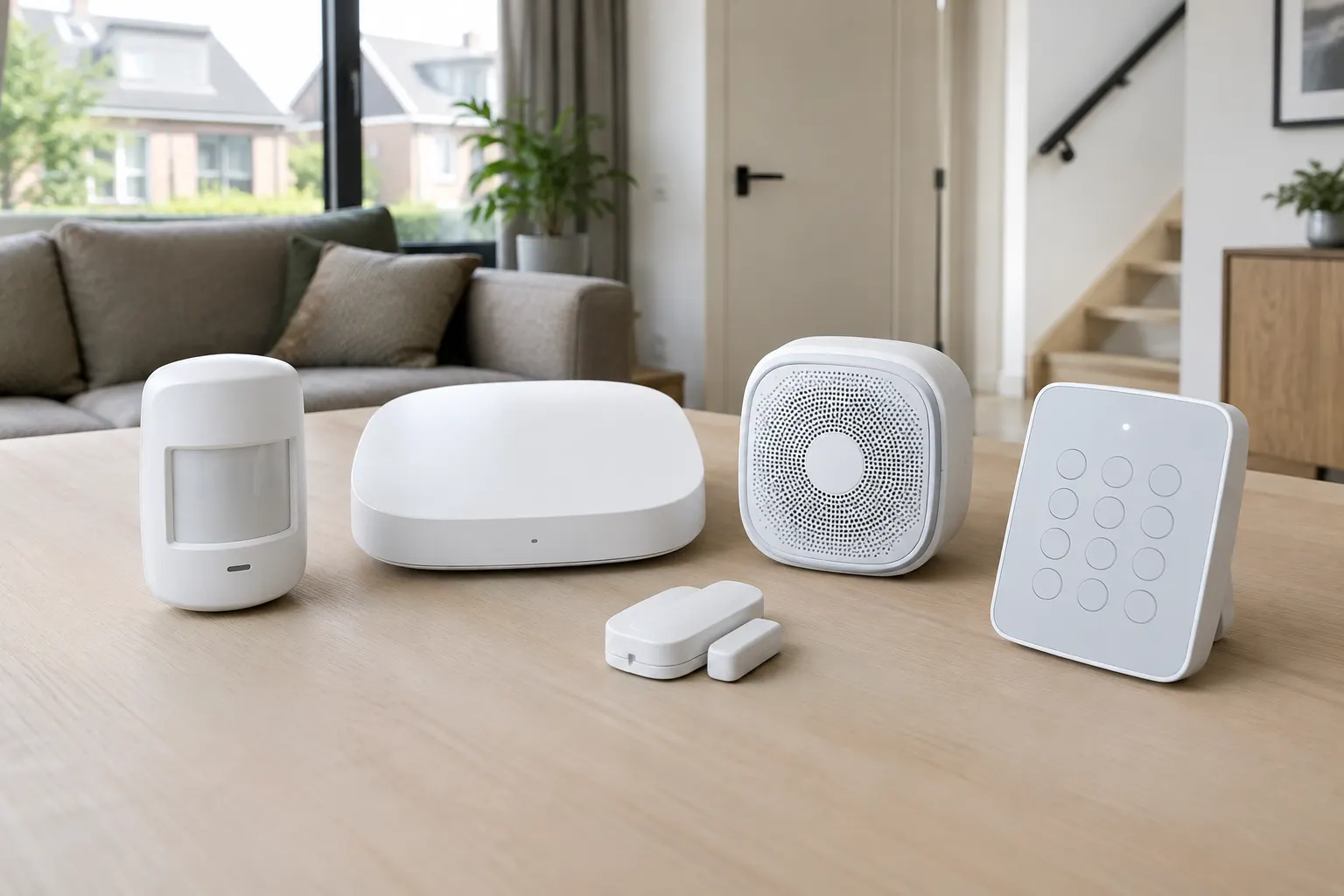
A home alarm works in three steps. A detector notices something, such as a window opening or someone walking down the hall. The control panel checks whether the system is armed at that moment and decides if it is an alarm. Then the siren sounds and you, or a monitoring station, get a message.

How does a home alarm system work?
In this article
  • What exactly happens during a break-in?
  • How does a motion detector know someone is walking?
  • Perimeter or interior: what is the difference?
  • What does the system do when you arm it?
  • What if someone tries to tamper with the alarm?
  • Does the alarm still work without power or internet?
At a glance

In short

A detector decides nothing: the control panel determines whether a signal is an alarm.
According to Ajax, a Hub 2 keeps running for 15 to 16 hours on its built-in battery in a power cut.
Tampering and lost connections are also reported while the alarm is off.

What exactly happens during a break-in?

Say someone forces your back door at night. There is a magnet on the door and a small switch on the frame. As soon as the two separate, the switch changes state. The detector sends that signal, encrypted, through the air to the control panel, which Ajax calls the hub. It takes the blink of an eye.

The hub then checks three things. Which detector sent this? Is that detector armed right now? And is there a delay, because this is the door you use yourself? If the answers are yes, yes and no, it is an alarm.

Two things then happen at once. Indoors the siren sounds, so working on quietly is no longer an option. Outwards, a message goes over the internet or the mobile network to the app, and possibly to a monitoring station. The message says which detector in which room it was. So you know whether to think of the back door or the attic window.

How does a motion detector know someone is walking?

The ordinary motion detector is an infrared detector. It transmits nothing but looks at heat. The lens divides the room into sectors. When a warm spot moves from one sector to the next, the detector sees movement. That is why walking across its view works better than walking straight towards it.

It also explains the false alarms. A curtain above a radiator or sunlight creeping across the floor can look like warm movement. More expensive detectors combine infrared with a second technique, usually radar. Only when both see something is a signal sent. Others take photos as well.

Mind the mounting height. For the Ajax MotionProtect the manual prescribes 2.4 metres, with a clear view and no cupboard a pet can climb on. If you mount it at 1.8 metres because there happens to be a wall plug, the whole detection pattern is off.

Perimeter or interior: what is the difference?

Detectors on doors and windows guard the perimeter. They react while someone is still trying to get in. Detectors inside rooms guard the interior. They only react once someone is already inside, but they catch every route, including a smashed pane without a contact on it.

A magnetic contact has one weak spot: it does not notice a pane being broken while the window stays shut. That is what a glass break detector is for, which listens for the sound of breaking glass. A motion detector in the hall catches the same risk a little later.

So do not choose all or nothing. Contacts on the ground floor plus one well-placed motion detector on the route to the stairs covers more than five detectors in rooms nobody has to pass through.

What does the system do when you arm it?

Arming is simply activating a list: these detectors count from now on. With full arming they are all on that list. In night mode only the detectors you assigned to it. You set that per detector.

So that you can leave and return yourself, the front door gets a delay. When you walk in, a countdown starts and you have that long to disarm. Only set the delay on the door you really use. Give every window the same thirty seconds and a burglar gets them too.

Some detectors are separate from that list. Smoke, water and a panic button always raise an alarm. A fire does not wait until you have armed the system.

What if someone tries to tamper with the alarm?

Under the cover of a detector there is a small switch. If the detector is pulled off the wall or opened, a tamper alert goes out. According to the manufacturer, Ajax does this even when the system is disarmed. So someone who unscrews a detector during a daytime visit is noticed too.

A second attempt is to disrupt the radio signal. The hub therefore contacts all detectors continuously. At Ajax that interval can be set from 12 to 300 seconds. If there is no reply, you are told that the connection is lost. When there is interference on the frequency, the hub switches to a free channel and sends a warning.

The hub itself is watched too, from the other side. With the shortest setting, the Ajax server can report within 60 seconds that the hub no longer responds. A wider setting takes longer but gives you fewer needless warnings with an unreliable modem.

Does the alarm still work without power or internet?

Wireless detectors have their own batteries and notice nothing of a power cut. According to the manufacturer, the Ajax magnetic contact lasts up to 7 years on one battery. The hub is plugged into a socket and has a backup battery. For the Hub 2, Ajax states up to 16 hours for the 2G version and up to 15 hours for the 4G version, measured with the network cable switched off.

If the power fails, your modem is usually down as well. That leaves the mobile network, and for that the hub needs a SIM card with a working data plan. That is easily forgotten. Even without a connection the siren in the house keeps working, only you know nothing about it.

Test this once yourself, at a quiet moment. Unplug the modem and the hub, wait until the app reports it, then trigger a detector. If no message arrives, you know now and not during your holiday. Announce a test beforehand if you are connected to a monitoring station.

Frequently asked questions

Do I need wifi for an alarm system?

Not for the detectors, which talk to the control panel over their own radio signal. The control panel needs a connection for alerts outside the house. A network cable is the most stable, with the mobile network as a fallback.

How far can a detector be from the control panel?

The distances on the box apply to open field. Indoors, concrete, underfloor heating and metal determine the range. Have the signal strength measured at the actual mounting point before any drilling.

Why does my alarm beep when nobody is breaking in?

Usually it is a fault signal, not a burglary: a flat battery, an open cover or a lost connection. Check in the app log which detector it is before you take anything apart.

Is a wired alarm more reliable than a wireless one?

Wired has no batteries and is harder to disrupt from a distance, but needs cables in the walls. Wireless is far easier to fit in an existing house and monitors its own connection. The design matters more than the cable.

Sources

What this information is based on

Ajax Hub 2Battery life, connections and hub supervision.Go to the Ajax product page
Hub 2 manualTampering, jamming and the ping interval.Go to the hub manual
DoorProtect manualHow the magnetic contact, delay and battery work.Go to the DoorProtect manual
MotionProtect manualMounting height and pets.Go to the MotionProtect manual
Get help

Let us take a look

Send us your situation or call us directly. We help with cameras, alarms, the app and installation.

Request a quote
AddedView →