
Which SD card fits a security camera?
Storage - 25 November 2026 · 5 min read

Which SD card fits a security camera?

Take a microSD card labelled High Endurance or Max Endurance, speed class 10 (U1 or V10) or higher, and no larger than the maximum your camera can handle. For one camera that records day and night, 128 or 256 GB is a good size. A fast card from a photo camera often works too, but wears out sooner.

Which SD card fits a security camera?
In this article
  • How many hours or days fit on an SD card?
  • Can my camera handle a 512 GB card?
  • What does High Endurance mean on a memory card?
  • Which speed class do you need?
  • Does a memory card also work in frost and heat?
  • How do you fit the card properly?
  • When is an SD card not enough?
At a glance

In short

At 4 megabits per second a camera writes 43 GB per day: 128 GB then lasts three days, 512 GB almost twelve.
Speed is rarely the problem: class 10 writes at least 10 MB per second, a camera needs 1 or 2 at most.
A Dahua card is rated for 66 TB of writing at 128 GB, about four years with such a camera.

How many hours or days fit on an SD card?

Calculate with the bitrate, not with the resolution. One megabit per second is 10.8 GB per day. If your camera records continuously at 2 megabits, that is 21.6 GB. At 4 megabits it is 43.2 GB and at 8 megabits 86.4 GB.

At 4 megabits, 64 GB holds a day and a half, 128 GB three days, 256 GB almost six and 512 GB almost twelve. After that the camera writes over the oldest footage. Recording only on motion can make that much longer, but along a busy street the gain is disappointing.

If you have an Imou camera, there is no need to calculate. Imou itself gives 12 days on 128 GB at 2 MP and 6 days at 4 MP. For 256 GB you double that.

Can my camera handle a 512 GB card?

That differs per model, even within one brand. Recent 4 and 8 MP Hikvision cameras often list 512 GB, a Dahua from the WizSense 2 series 256 GB. With TP-Link Tapo it is generally 512 GB and with Kasa 256 GB. Look up the model number on the camera label and check the datasheet.

If you insert a card that is too large, sometimes nothing happens and sometimes something worse does: the camera recognises it, but stops halfway or loses clips. You only notice when you are looking for footage. So do not buy 512 GB on a guess.

Larger is good for the lifespan though, because each cell is overwritten less often. If 256 GB is within the maximum, that is almost always wiser than 64 GB.

What does High Endurance mean on a memory card?

Flash memory can only be written a limited number of times. A card in a phone is mostly idle. A card in a camera writes every second. Endurance cards are built for that and TP-Link strongly recommends them for continuous recording.

Sometimes there is a number you can use: TBW, the number of terabytes you may write. For its P100 card Dahua lists 66 TB at 128 GB, 132 TB at 256 GB and 264 TB at 512 GB. A camera at 4 megabits writes almost 16 TB per year. On paper that is more than four, eight and sixteen years. Do not count on it: Dahua itself gives a two year warranty, or less if the TBW is used up earlier.

Other brands give hours. Kingston lists 26,900 hours for its High-Endurance card, three years day and night, when recording in Full HD. If you record at a higher bitrate, it is less.

Which speed class do you need?

Less than you think. Class 10, U1 and V10 are three names for the same minimum of 10 megabytes per second. That is 80 megabits. According to the datasheet, even an 8 MP Hikvision camera does not go above 16 megabits, so 2 megabytes per second.

V30 or U3 is allowed, but you pay for speed the camera never uses. The figure of 100 or 190 MB per second on the packaging is the read speed and says nothing about endurance. Spend that money on an endurance version.

Does a memory card also work in frost and heat?

Read the operating temperature. The Dahua P100 mentioned above is rated from 0 to 70 degrees, the Kingston from minus 25 to 85. In an outdoor camera that produces its own heat the card is warmer than the air, but after a power cut in January everything starts up cold.

So for outdoors I choose a card that is rated below zero. It is rarely on the box, but it is in the datasheet.

How do you fit the card properly?

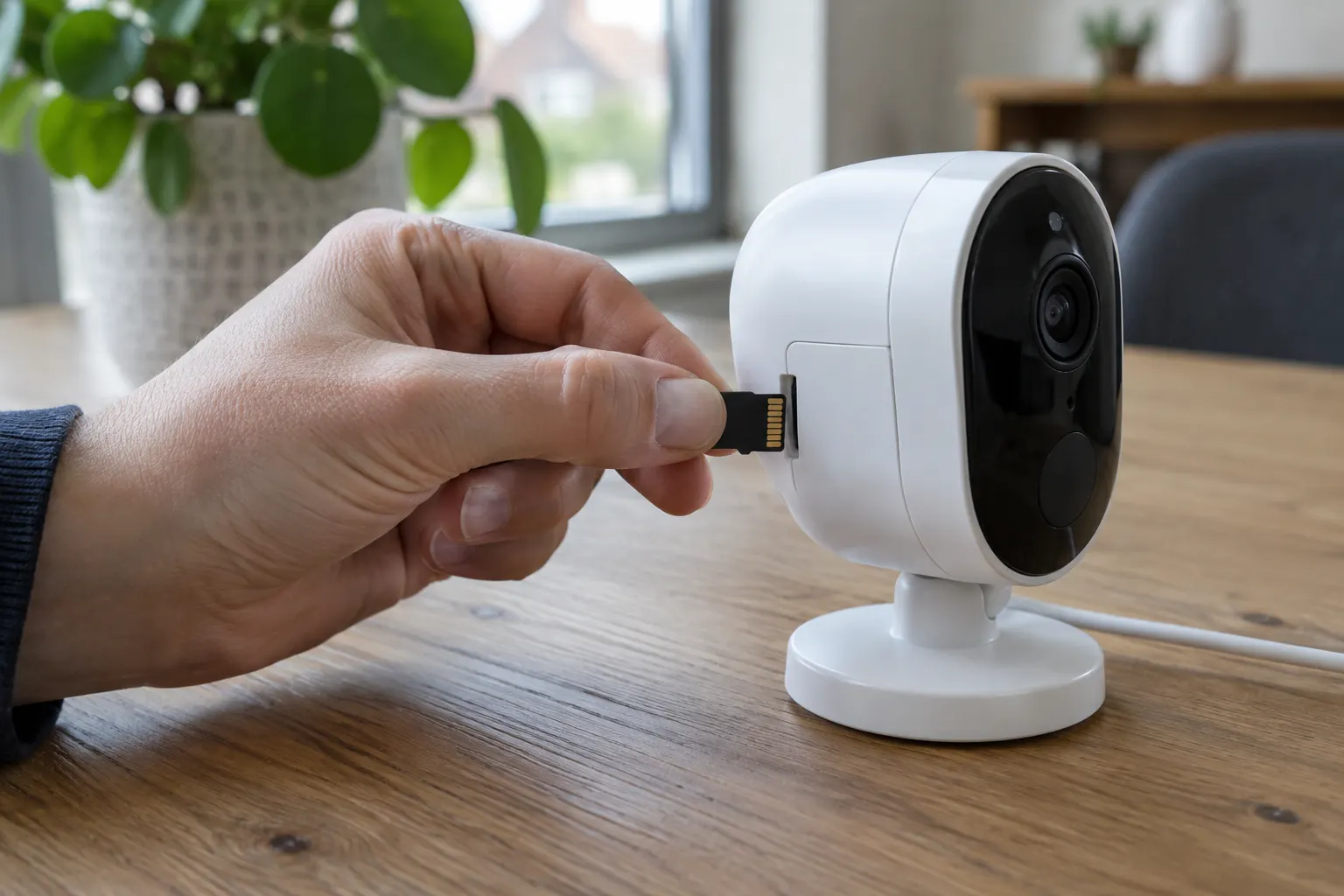
Disconnect the camera from power, slide the card in until it clicks and close the cover with the rubber seal straight. Then format it in the app or web page of the camera, not on your laptop. The camera then sets up the file system and folders the way it needs them. Formatting erases everything.

Switch on overwriting and let the camera run for a day. Then look up a moment from yesterday. Also check whether you can get an alert for a full or faulty card, because without that alert a camera can fail to record for months while the live picture works normally.

Buy from a known seller. TP-Link describes fake 32 GB cards that present themselves as 128 GB: everything seems fine until the real space is full, and after that recordings get corrupted.

When is an SD card not enough?

If a thief can reach the camera, the evidence goes with it. If you have three or more cameras, you have to search and replace each card separately. And if you want to look back weeks, it gets tight. A recorder indoors is more logical then, possibly with the card as a backup for when the network drops out.

A card is fine for one doorbell, a shed camera or a holiday home where you only want to check alerts.

Frequently asked questions

Which memory card does an Imou camera need?

A microSD card, preferably an endurance version of class 10 or higher. The maximum differs per Imou model and is listed in the specifications. If the card is not recognised, Imou advises cleaning the contacts, formatting it or trying another card.

Can I use an ordinary SanDisk Ultra or Samsung EVO?

It will often start, but it is not meant to write for years on end. TP-Link also mentions a 256 GB Samsung EVO Plus that worked with none of its Tapo or Kasa cameras in its test.

How often should you replace the SD card?

There is no fixed period. Divide the TBW of the card by what your camera writes per year and replace it well before that. Do so in any case if the camera reports a card error, if clips are missing or if formatting no longer works.

Can I view the footage on my laptop?

Sometimes. Some cameras write ordinary video files, others use their own format or encryption. So it is better to export through the app or player of the manufacturer and keep that file if you need it for a police report.

Do I need a subscription if I use an SD card?

Usually not for recording and playing back from the card. Some brands do charge for smart detection or cloud copies. So check per camera which functions stay free.

Sources

What this information is based on

Imou: frequently asked questionsRecording days per card size and tips on recognition.View the Imou table
Dahua P100 microSDTBW, warranty and operating temperature per capacity.Dahua specifications
TP-Link: microSD for camerasMinimum class, endurance advice and tested cards.Read the TP-Link advice
Kingston High-EnduranceHours, temperature range and class.Kingston datasheet
Get help

Let us take a look

Send us your situation or call us directly. We help with cameras, alarms, the app and installation.

Request a quote
AddedView →