Ask about products, installation, delivery, payments, cameras per month or technical support.
Mobile notifications manual
Make sure you only receive useful notifications from people, vehicles or calls.
View solutionSet up push notifications
Set up notifications so that you only receive messages when they are needed.
Easy Viewer
Go to your Play or APP Store download the Easy Viewer app and then proceed with the following steps
Don't forget to keep your Portforwarding list handy; if you don't have it, then contact us.
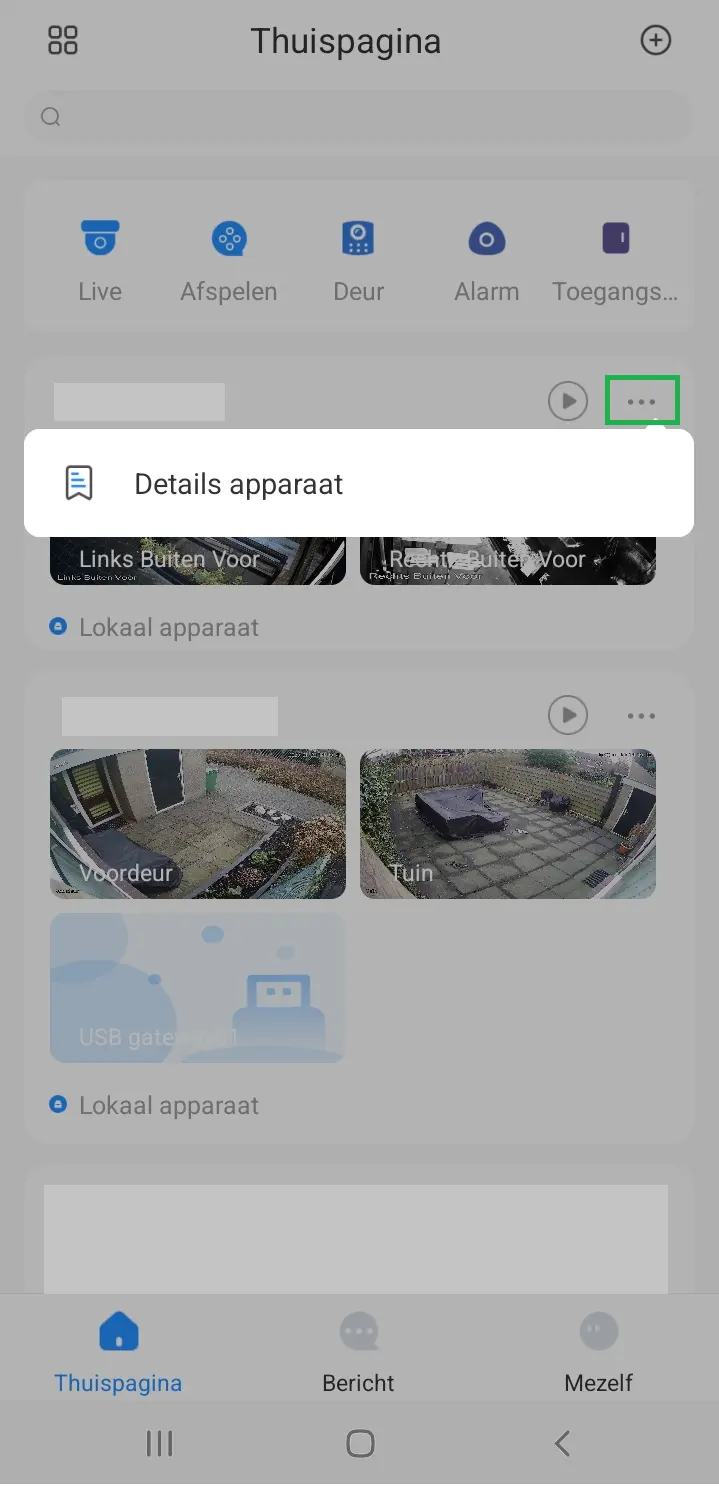
STEP 1
Click on 3 dots then on Device Details App
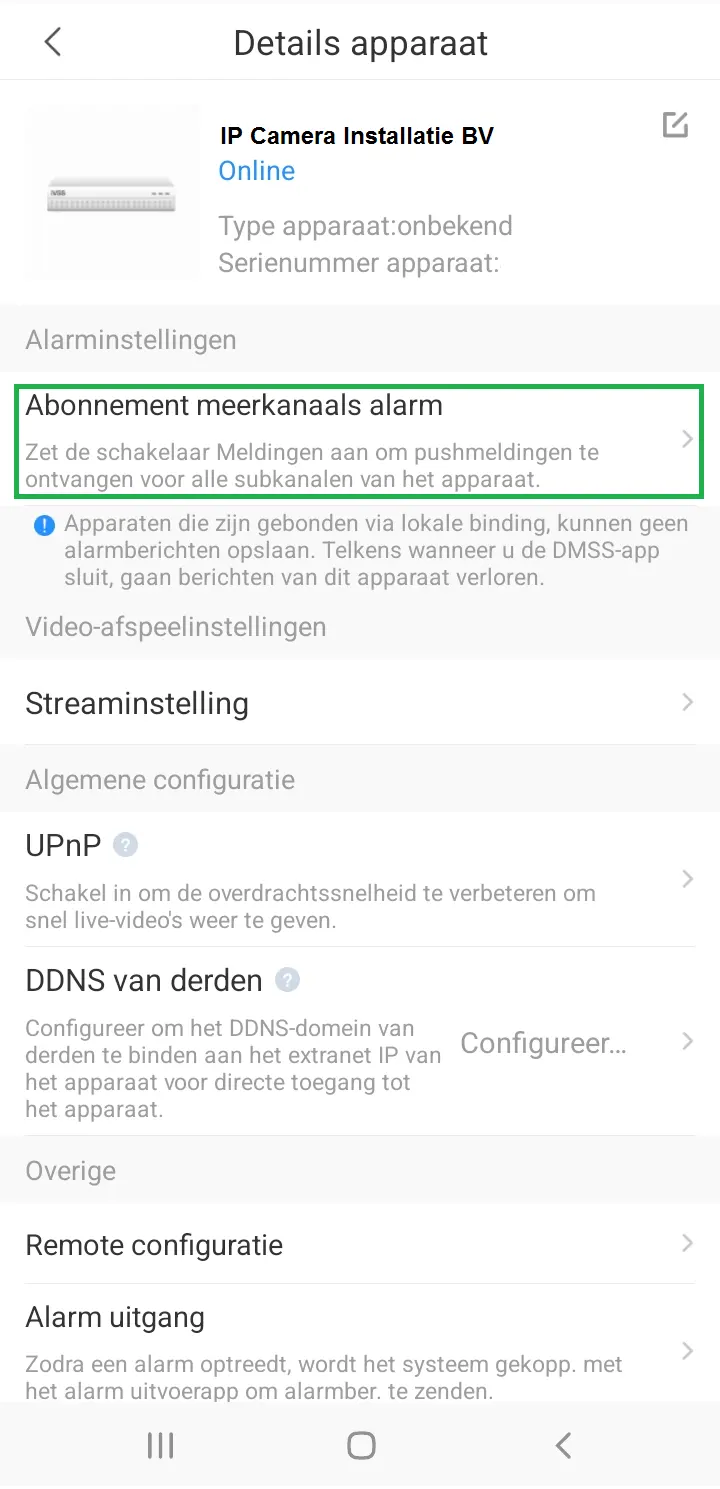
STEP 2
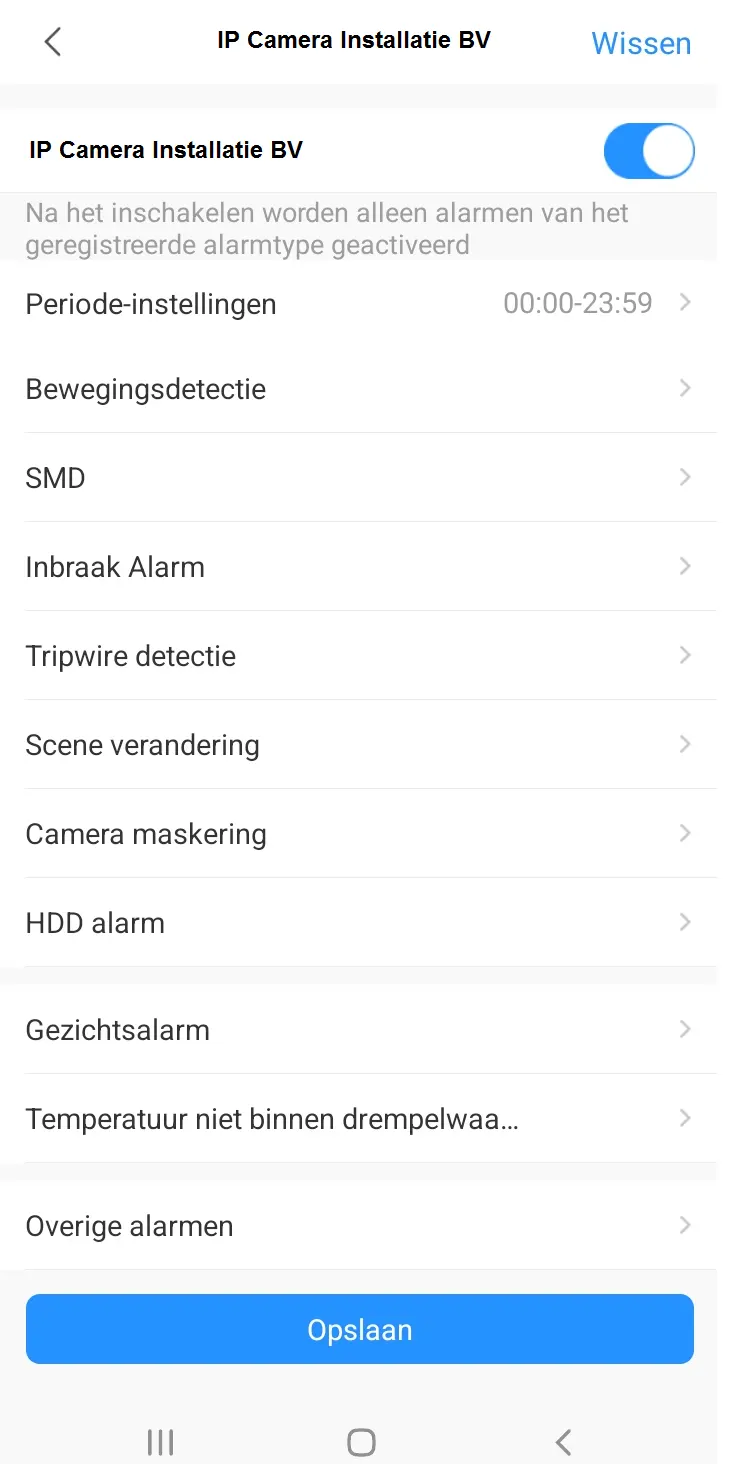
Click on Subscription multi-channel alarm
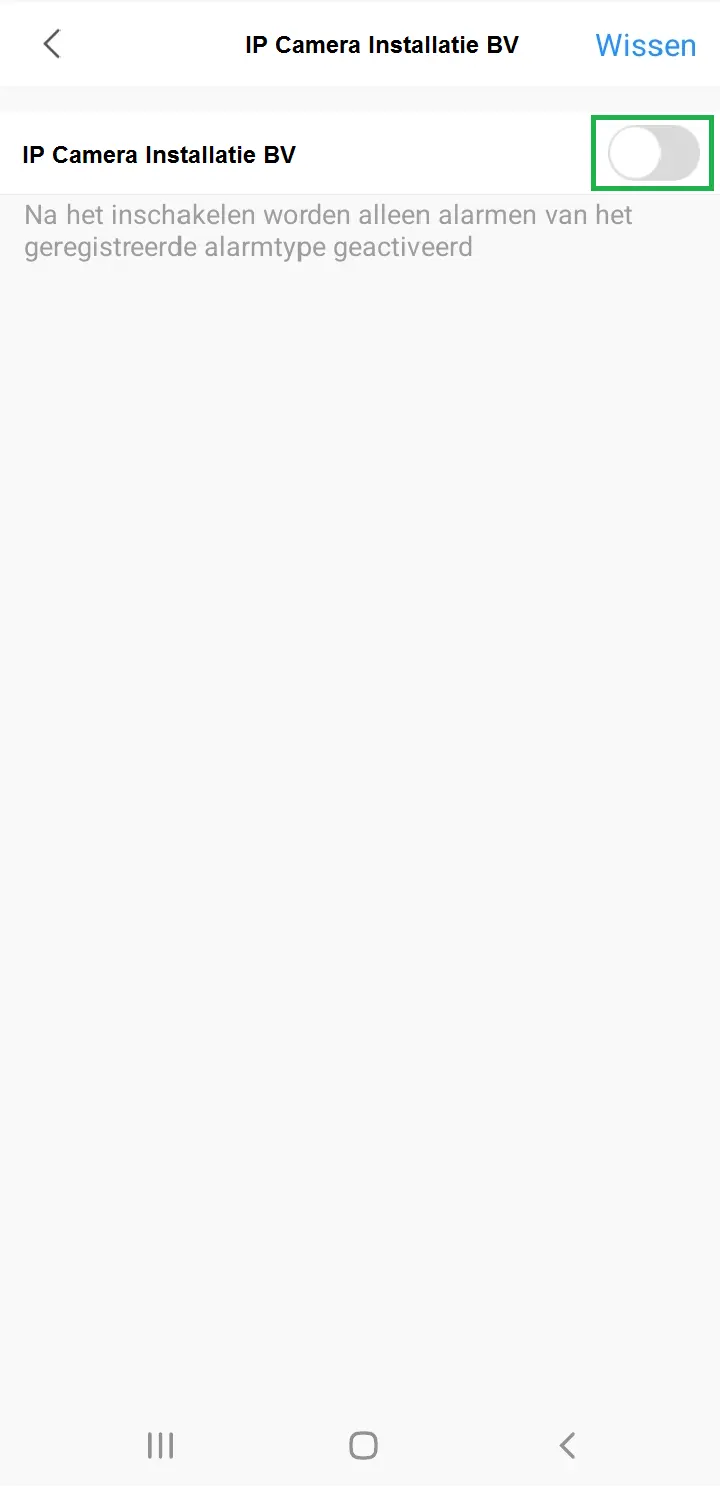
STEP 3
Slide the bar to the right until it is blue
STEP 4
Select the motion detection option and click on it
STEP 5
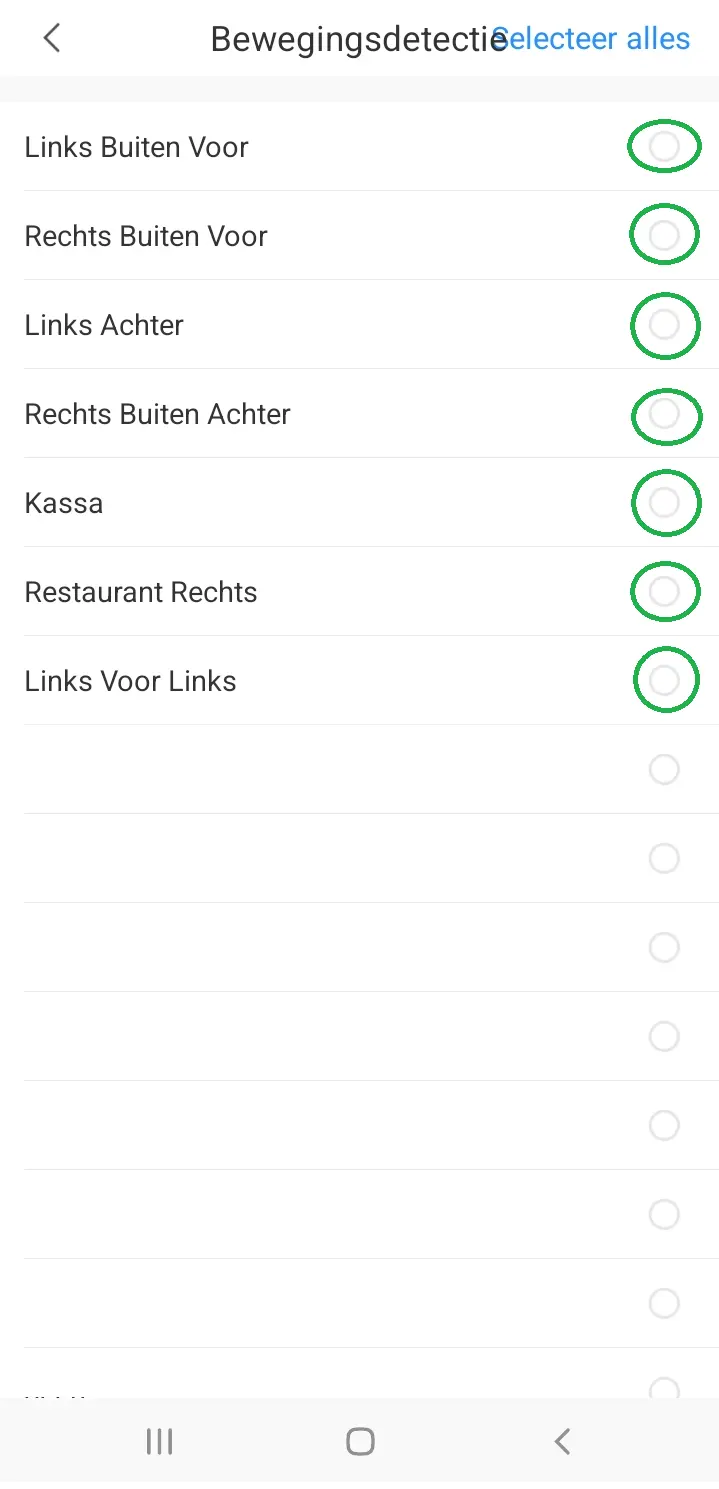
Please indicate which cameras you want to receive notifications, then go back with the arrow.
STEP 6
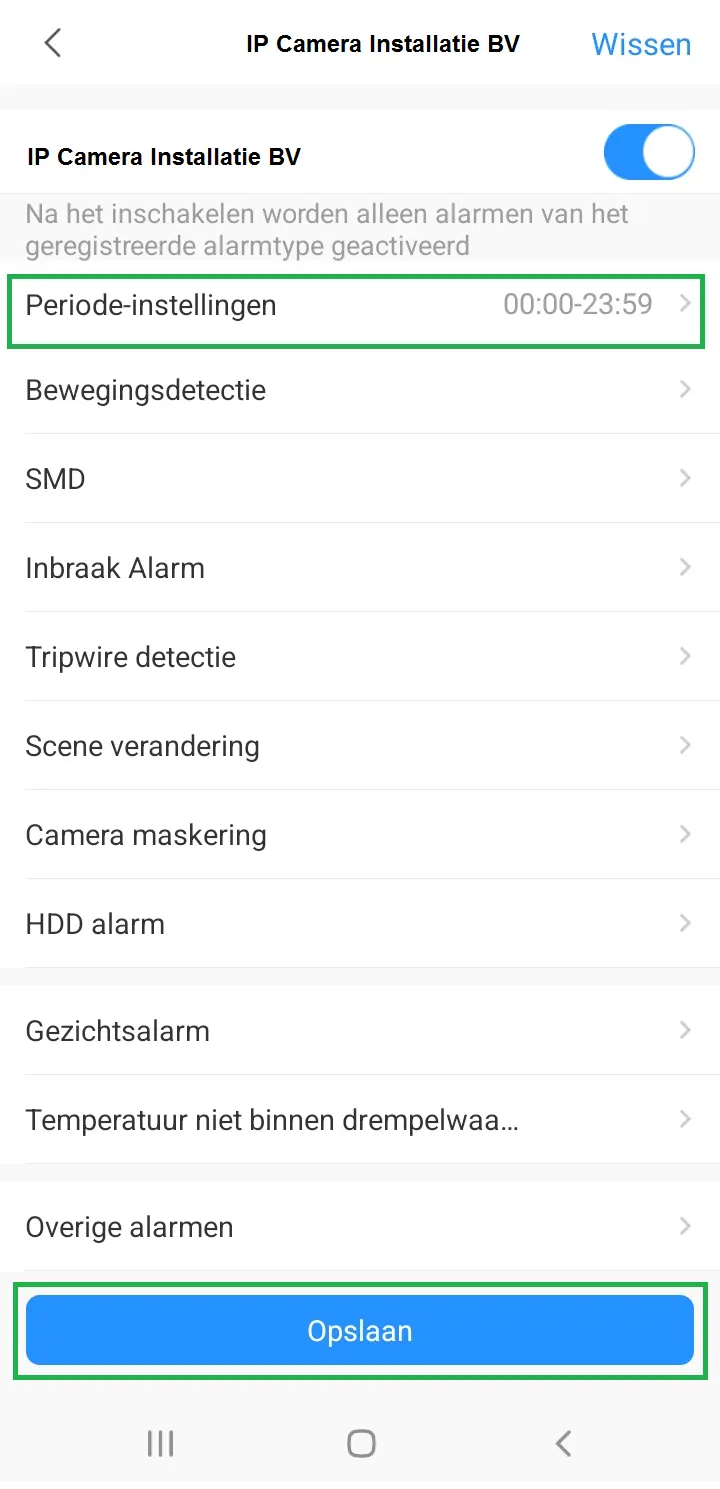
Specify the period when you want to receive push notifications. Don't forget to save
Screenshots