Ask about products, installation, delivery, payments, cameras per month or technical support.
Dahua SmartPSS installation manual
Use SmartPSS on the computer for live images, back-viewing and management.
View solutionSetting SmartPSS on the computer
Install SmartPSS Lite and add your recorder to the PC.
SmartPSS
Install SmartPSS on your computer and start the program
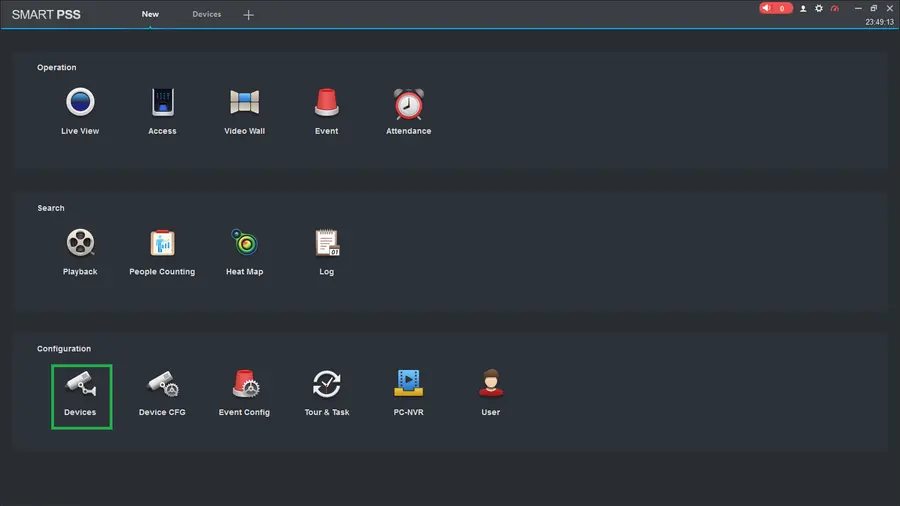
STEP 1
Click on Devices
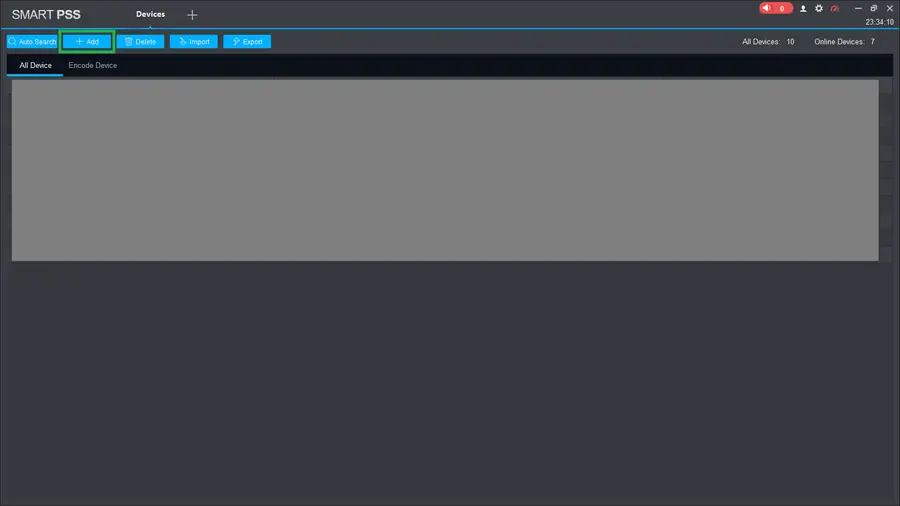
STEP 2
Click on ADD +
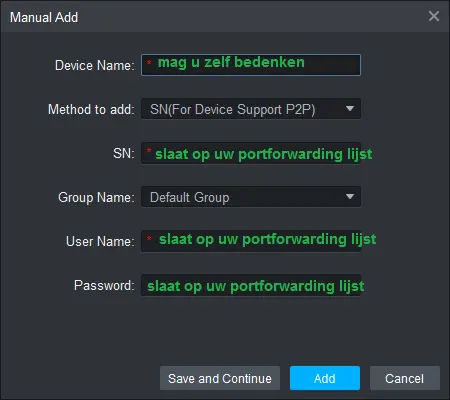
STEP 3
When manually adding, the following are important.
Please keep your portfolio list handy with you.
Device Name: you can come up with this yourself
Method: this should be on P2P
SN: You have received this in your portfolio list
User Name: You have received this in your portfolio list
Password: You have received this in your portfolio list
Click on ADD+ after filling in the correct information.
Screenshots