Ask about products, installation, delivery, payments, cameras per month or technical support.
Guide to changing password on mobile
Safely change your app or camera system password and prevent access from being lost.
View solutionDMSS
Go to your Play or APP Store download the DMSS app and then proceed with the following steps
Don't forget to keep your Portforwarding list handy; if you don't have it, then contact us.
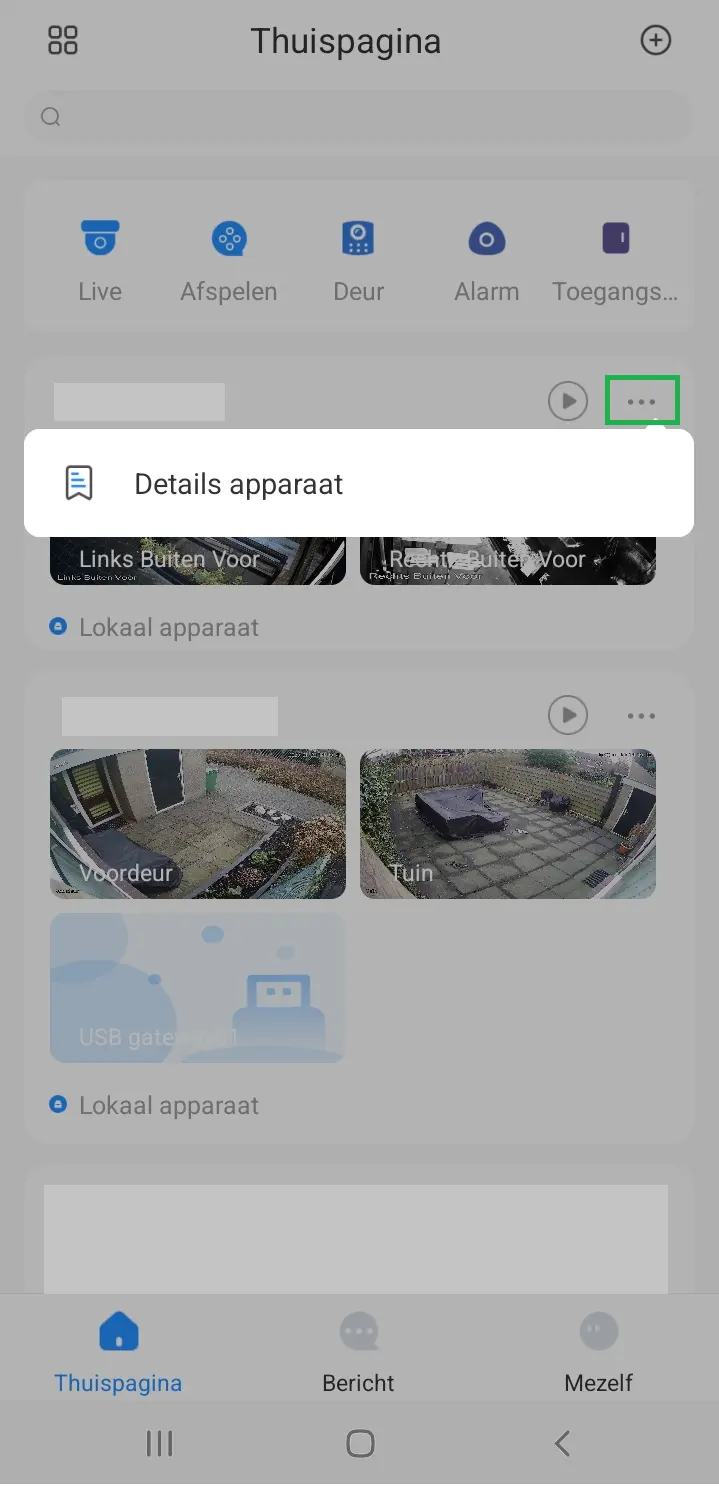
STEP 1
Click on 3 dots then on Device Details App
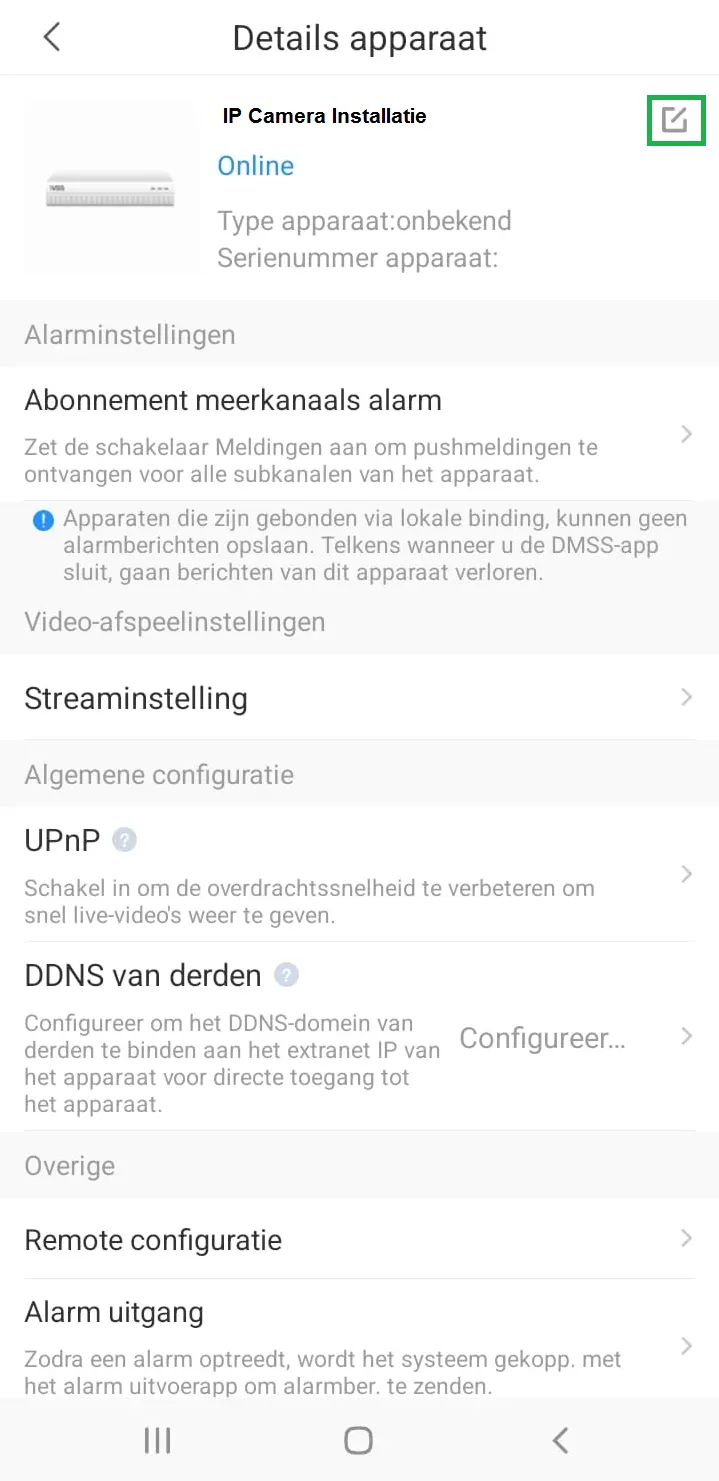
STEP 2
Click on the Pencil
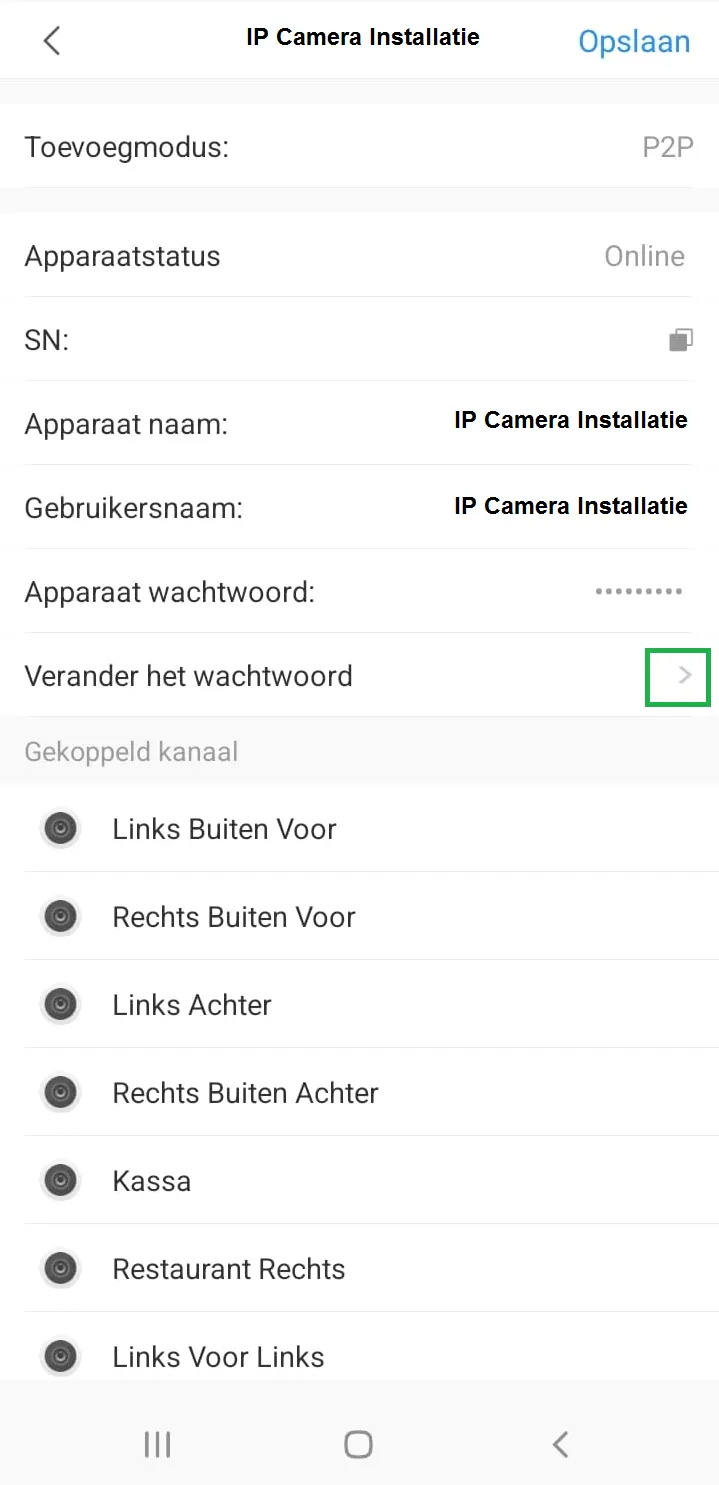
STEP 3
Click on the Arrow and change your password
STEP 4
PLEASE NOTE, KEEP YOUR PASSWORD CAREFULLY!
Screenshots