
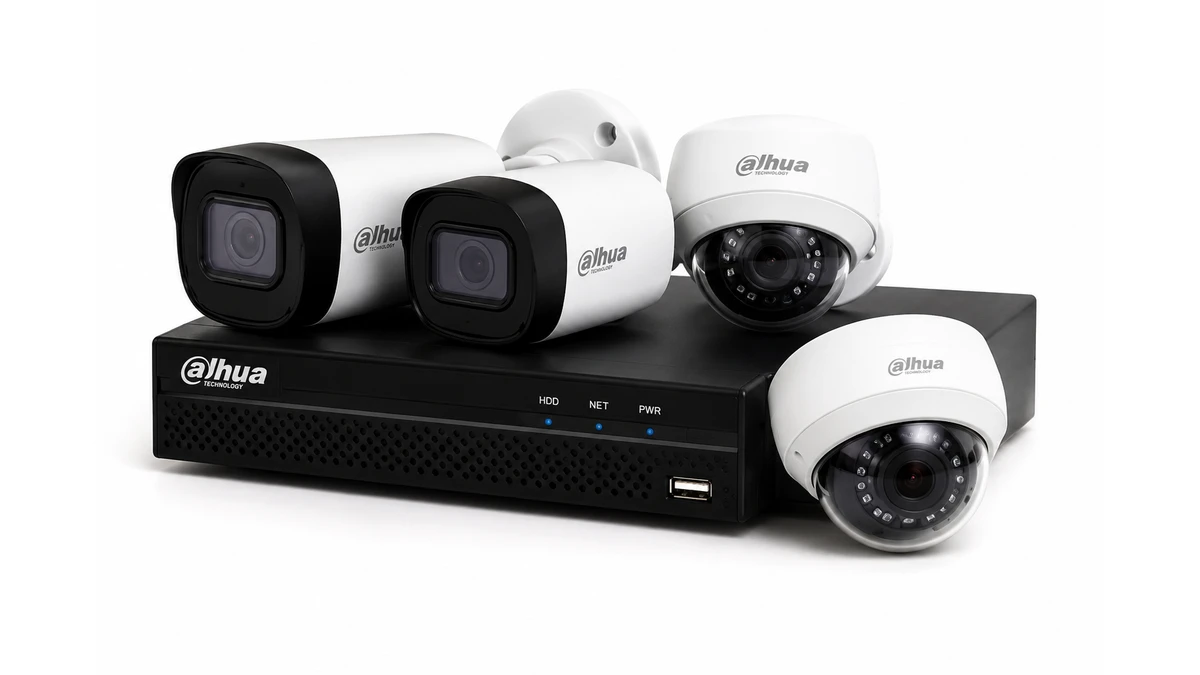
Office

camera · Office

Dahua system: take over management for an office

Dahua system: take over management for an office. During a Dahua takeover, inventory the local recorder accounts, DMSS access, and available documentation.

IP Camera Installatie: More than 2,000 businesses helped. View our projects · Read customer reviews

Fixed price in advance Our own technicians 085 - 02 12 771
Dahua system for an office

Prepare the work

Take over management tailored to an office

Take over management for an office starts with the parts that need to change. Dahua service includes NVR and XVR systems, DMSS, IP cameras and phased replacement of older HDCVI installations.

Access, reception and exterior must match working hours and user roles. We include rights per employee and separation of office and security network in the assessment and agree on the work with Facility management and staff.

What we check and deliver

  • Check the camera channel and recording status separately.
  • Compare the local display with DMSS on the phone.
  • In mixed systems, however, check which type of channel for expansion is available.
  • A suitable cable connector does not prove that a new camera model is supported by the recorder.
  • Agree on the work with Facility management and staff.
01

Take over management at an office

Coordinate tasks with facility management and possibly network management. Take into account meeting rooms, occupied workstations, and different working hours. Test the operation with a regular employee and document which management tasks remain central. For take over management, we first discuss rights per employee and separation of office and security network with Facility management and staff. We inventory equipment, accounts, passwords, network and remaining capacity. In mixed analog and IP systems, the recorder determines which modernization is possible without breaking down. We also consider how Management must grow with teams, floors and locations.

02

Who has the existing management rights? · Office

During a Dahua takeover, inventory the local recorder accounts, DMSS access, and available documentation. The new owner must know who still has access. Any account restoration will only be carried out through a suitable, authorized procedure, maintaining relevant recordings and settings.

03

Does the Dahua installation work with IP cameras, coax or both?

An NVR setup and an XVR setup are not expanded in the same way. Therefore, not only note the brand, but also the record model and the used cables. When switching from coax to IP, power, connection and recorder load may change. Maintaining existing cabling must be evaluated technically. Free channels, coax or UTP, P2P coupling, disk status and user rights are tested as one chain. For an office, we assess rights per employee and separation of office and security network. The key question at this stage is: Who has the existing management rights?

04

Preparing dahua system

Provide the type of Dahua recorder, the camera models, and a photo of the connections. Indicate whether the problem also appears on the local screen or only in DMSS. This can prepare a visit without assuming immediate replacement. For an office, we arrange access with Facility management and staff. Inventory equipment and documentation with the appropriate owner. Request the previous administrator to transfer necessary access. Check which users remain active and which permissions are revoked. Record which components are taken over and which restrictions remain in place due to missing information. Explain rights per employee and separation of office and security network in advance. Send photos of the equipment and connections without showing access codes.

05

Decisions before take over management

A suitable cable connector does not prove that a new camera model is supported by the recorder. Save important images before replacing the recorder or storage; automatic takeover of old recordings is not automatic. Management rights are checked and, where possible, securely placed in the owner's name. The choice must suit this situation: Access, reception and exterior must match working hours and user roles. You will receive a documented system and a clear contact point for further work.

06

How we check dahua system

Check the camera channel and recording status separately. Compare the local display with DMSS on the phone. In mixed systems, however, check which type of channel for expansion is available. You will receive a documented system and a clear contact point for further work. At an office, we check the result with Facility management and staff and confirm how Management must grow with teams, floors and locations. We record which functions were tested and any remaining limitations.

Our process

From planning to a working handover.

  1. 1

    Assess

    rights per employee and separation of office and security network

  2. 2

    Carry out

    Management rights are checked and, where possible, securely placed in the owner's name.

  3. 3

    Hand over

    You will receive a documented system and a clear contact point for further work.

Clear answers

Frequently asked questions

What should I provide for dahua system at an office?

Provide the type of Dahua recorder, the camera models, and a photo of the connections. Indicate whether the problem also appears on the local screen or only in DMSS. This can prepare a visit without assuming immediate replacement. Tell us that your request concerns take over management at an office. This helps the technician decide what else is needed before an appointment and proposal.

How do you assess take over management?

In mixed analog and IP systems, the recorder determines which modernization is possible without breaking down. We assess the equipment already in place, record any issues and discuss additional work before carrying it out.

Can existing equipment continue to work with take over management?

A suitable cable connector does not prove that a new camera model is supported by the recorder. We check each component. Send the model details and a description of the existing connection; without these we cannot establish compatibility or the scope of work.

When is the work at an office complete?

The system is documented as recoverable and re-linked to the appropriate administrator. We also confirm that Management must grow with teams, floors and locations. You receive an explanation of the tested functions and any limitations. We discuss additional repairs separately.

AddedView →