
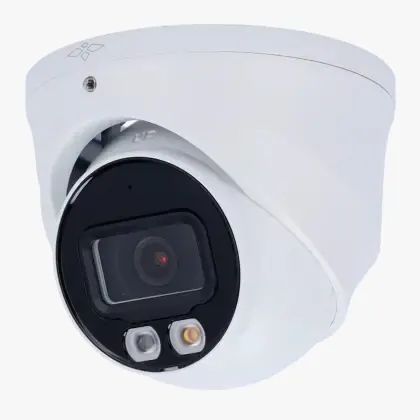
restaurant

Cameras per month · restaurant

Cloud storage for cameras: compare service and costs for a restaurant

Cloud storage for cameras: compare service and costs for a restaurant. Compare service and costs focuses on supported cameras, upload, storage period and.

IP Camera Installatie: More than 2,000 businesses helped. View our projects · Read customer reviews

Fixed price in advance Our own technicians 085 - 02 12 771
Cloud storage for cameras for a restaurant

Make the right choice

Compare service and costs tailored to a restaurant

Compare service and costs for a restaurant starts with the parts that need to change. Cloud storage keeps camera footage outside the recorder, so important recordings remain available in case of theft or local damage.

Entrance, bar, cash register and warehouse require targeted security without filming guests where that is not necessary. We include discrete mounting and usable image with ambient lighting in the assessment and agree on the work with restaurant owner and team.

What we check and deliver

  • Compare a recent event with the stored cloud backup.
  • Test to retrieve and download with the correct user.
  • Check the operation when restoring a broken connection.
  • Cloud storage is a separate service; local recording is not automatically transferred.
  • Agree on the work with restaurant owner and team.
01

Decisions before compare service and costs

Cloud storage is a separate service; local recording is not automatically transferred. The possibilities in the case of internet outage depend on the equipment and services. One-time and recurring costs are added in addition to the desired features. The choice must suit this situation: Entrance, bar, cash register and warehouse require targeted security without filming guests where that is not necessary. You can compare the possibilities on the same tasks and appointments.

02

Which parts determine the appropriate service? · restaurant

Compare service and costs focuses on supported cameras, upload, storage period and cloud users. Compare the desired functionality and costs over the usage period. Include equipment, performance, connection, support, and termination. Note which services are optional. Choose based on the usage and agreements, so that a low monthly amount does not become an incomplete comparison. We complete the check against a recovered and opened cloud fragment of every scheduled camera.

03

Compare service and costs at a restaurant

Evaluate installation and operation with normal ambient lighting and furnishings. Schedule outdoor work for preparation and service. Clearly document which access the management permits and which actions may be carried out by a service representative. For compare service and costs, we first discuss discrete mounting and usable image with ambient lighting with restaurant owner and team. Composition, duration and service determine which service suits you. A longer storage period is only valuable when upload and retrieval are reliable enough for daily use. We also consider how The operation must suit changing shifts and responsibilities.

04

Do the desired images actually arrive outside the location?

An active connection or subscription does not yet show that all intended images are being saved. Check camera support, upload capacity, and recording in the external environment. Also test retrieval and download with the rights of the user who will later need to do that. Compatibility, upload capacity, storage duration, privacy, number of users and cameras determine the setup. For a restaurant, we assess discrete mounting and usable image with ambient lighting. The key question at this stage is: Which parts determine the appropriate service?

05

Preparing cloud storage for cameras

Mention camera models, number of channels, existing storage and desired storage period. Indicate whether cloud storage supplements local storage and which users may view it. For a restaurant, we arrange access with restaurant owner and team. Compare the desired functionality and costs over the usage period. Include equipment, performance, connection, support, and termination. Note which services are optional. Choose based on the usage and agreements, so that a low monthly amount does not become an incomplete comparison. Explain discrete mounting and usable image with ambient lighting in advance. Send photos of the equipment and connections without showing access codes.

06

How we check cloud storage for cameras

Compare a recent event with the stored cloud backup. Test to retrieve and download with the correct user. Check the operation when restoring a broken connection. You can compare the possibilities on the same tasks and appointments. At a restaurant, we check the result with restaurant owner and team and confirm how The operation must suit changing shifts and responsibilities. We record which functions were tested and any remaining limitations.

Our process

Compare options, costs and agreements.

  1. 1

    Assess

    discrete mounting and usable image with ambient lighting

  2. 2

    Carry out

    One-time and recurring costs are added in addition to the desired features.

  3. 3

    Hand over

    You can compare the possibilities on the same tasks and appointments.

Clear answers

Frequently asked questions

What should I provide for cloud storage for cameras at a restaurant?

Mention camera models, number of channels, existing storage and desired storage period. Indicate whether cloud storage supplements local storage and which users may view it. Tell us that your request concerns compare service and costs at a restaurant. This helps the technician decide what else is needed before an appointment and proposal.

How do you assess compare service and costs?

A longer storage period is only valuable when upload and retrieval are reliable enough for daily use. We assess the equipment already in place, record any issues and discuss additional work before carrying it out.

Can existing equipment continue to work with compare service and costs?

Cloud storage is a separate service; local recording is not automatically transferred. We check each component. Send the model details and a description of the existing connection; without these we cannot establish compatibility or the scope of work.

When is the work at a restaurant complete?

The connection and back-view function are tested and access is set up per responsible user. We also confirm that The operation must suit changing shifts and responsibilities. You receive an explanation of the tested functions and any limitations. We discuss additional repairs separately.

AddedView →