Ask about products, installation, delivery, payments, cameras per month or technical support.
Dahua doorbell mobile app manual
Connect the Dahua doorbell to the mobile app and set notifications properly.
View solutionConnecting the doorbell to the app
From connecting to testing image and sound on your phone.
Easy Viewer
Go to your Play or APP Store download the Easy Viewer app and then proceed with the following steps
Don't forget to keep your Portforwarding list handy; if you don't have it, then contact us.
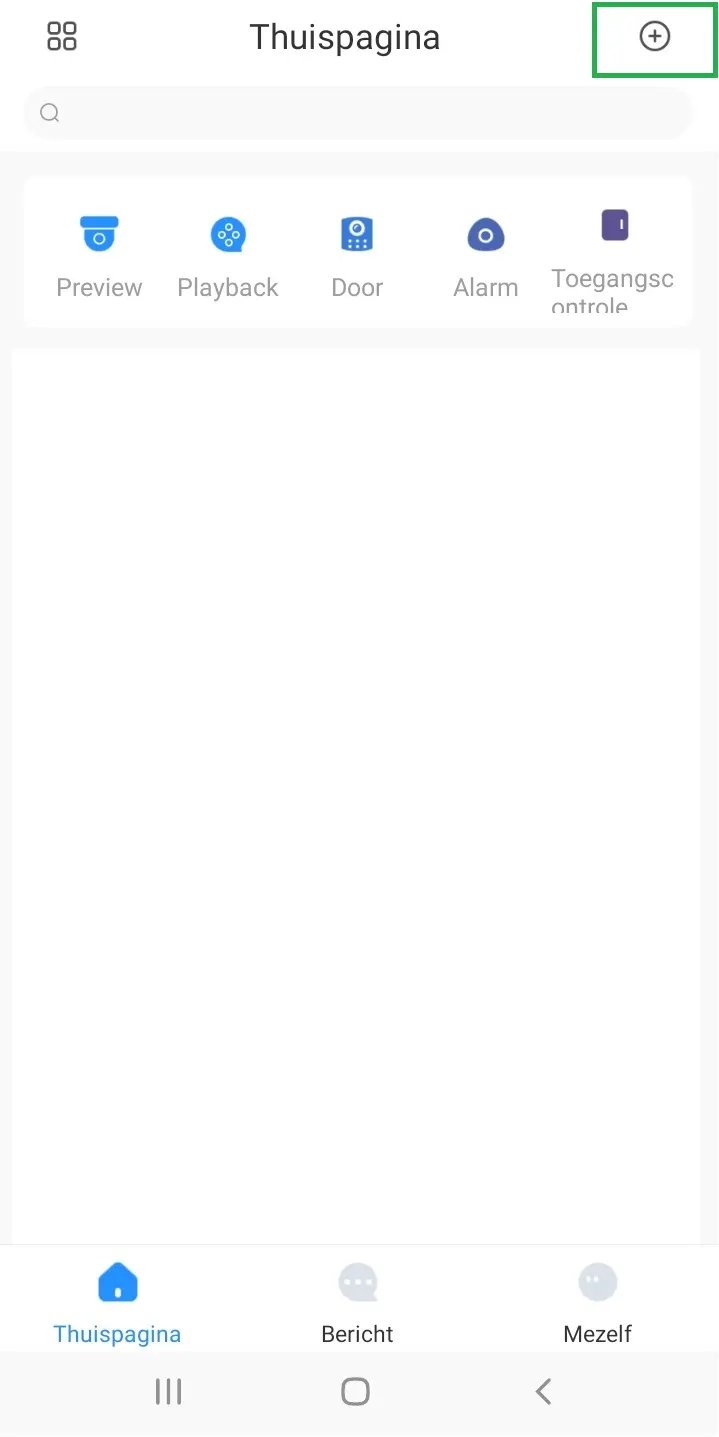
STEP 1
Open the app and click the + sign on the right above.
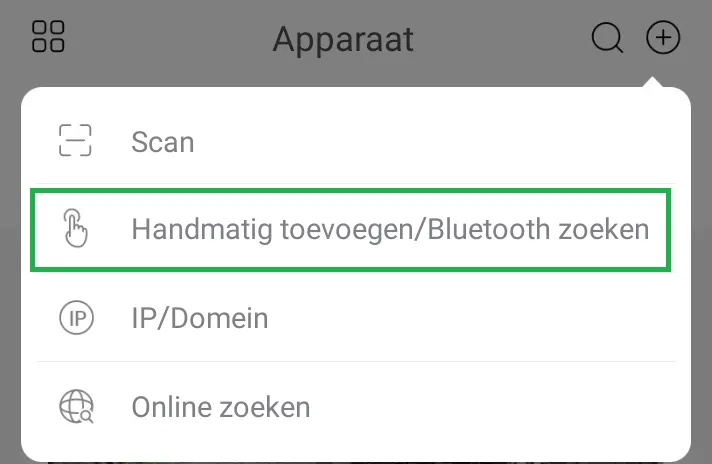
STEP 2
Make your choice here Add manually
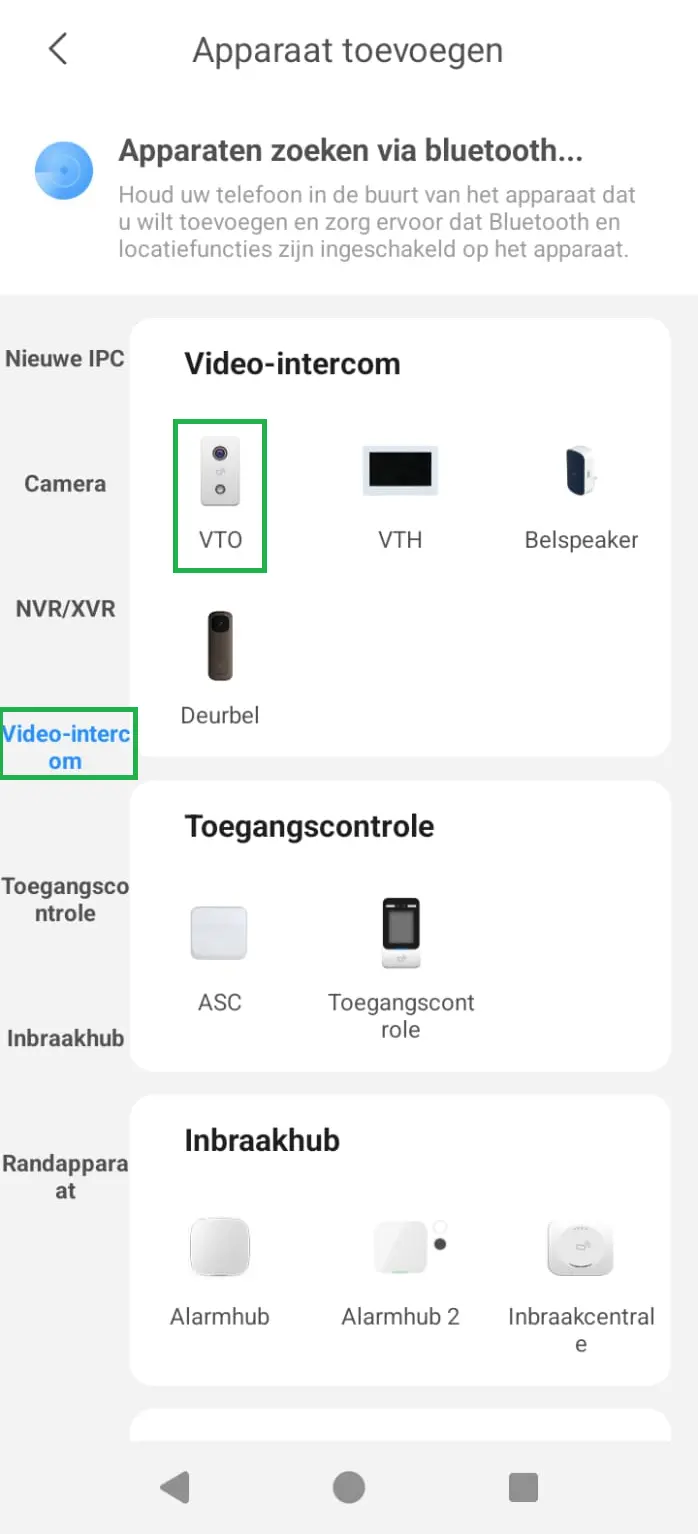
STEP 3
Make your choice here Enter serial number manually
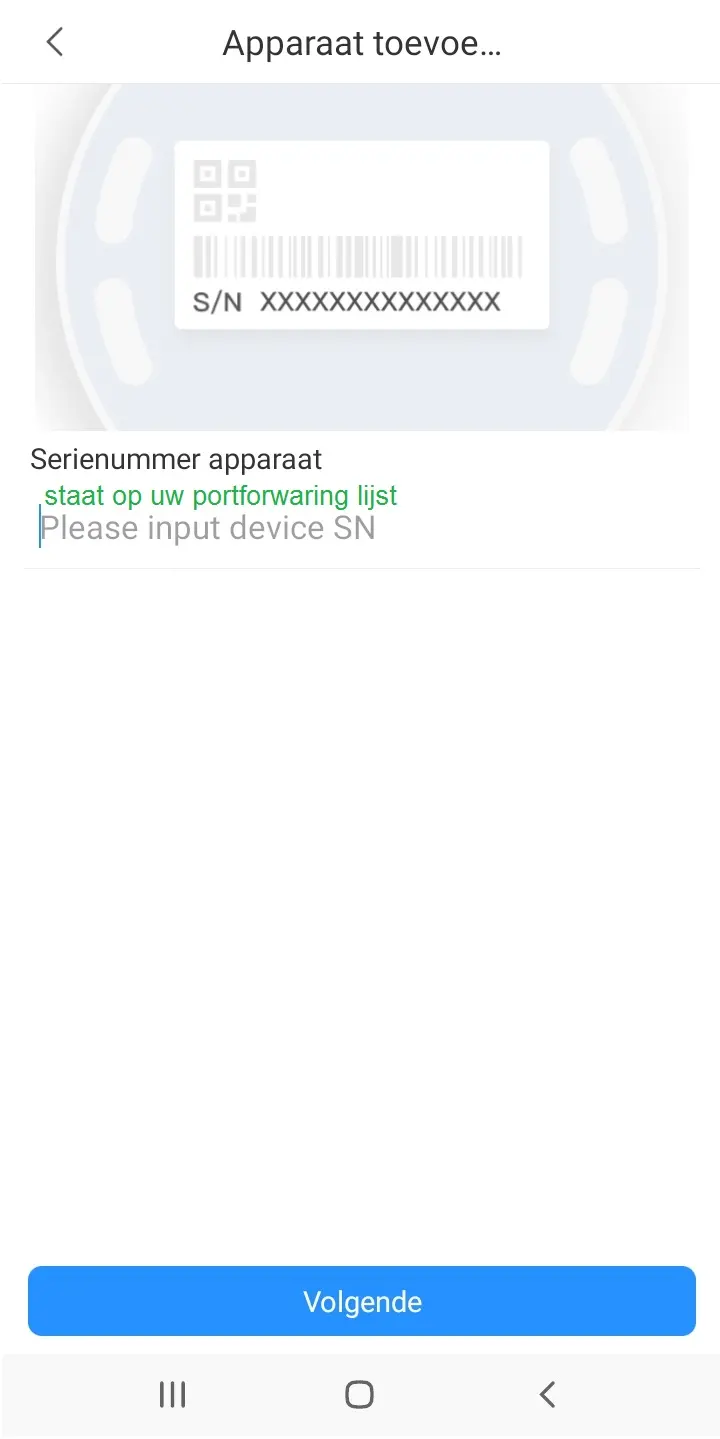
STEP 4
You can enter the SN number that we emailed you here in the portforwarding list.
STEP 5
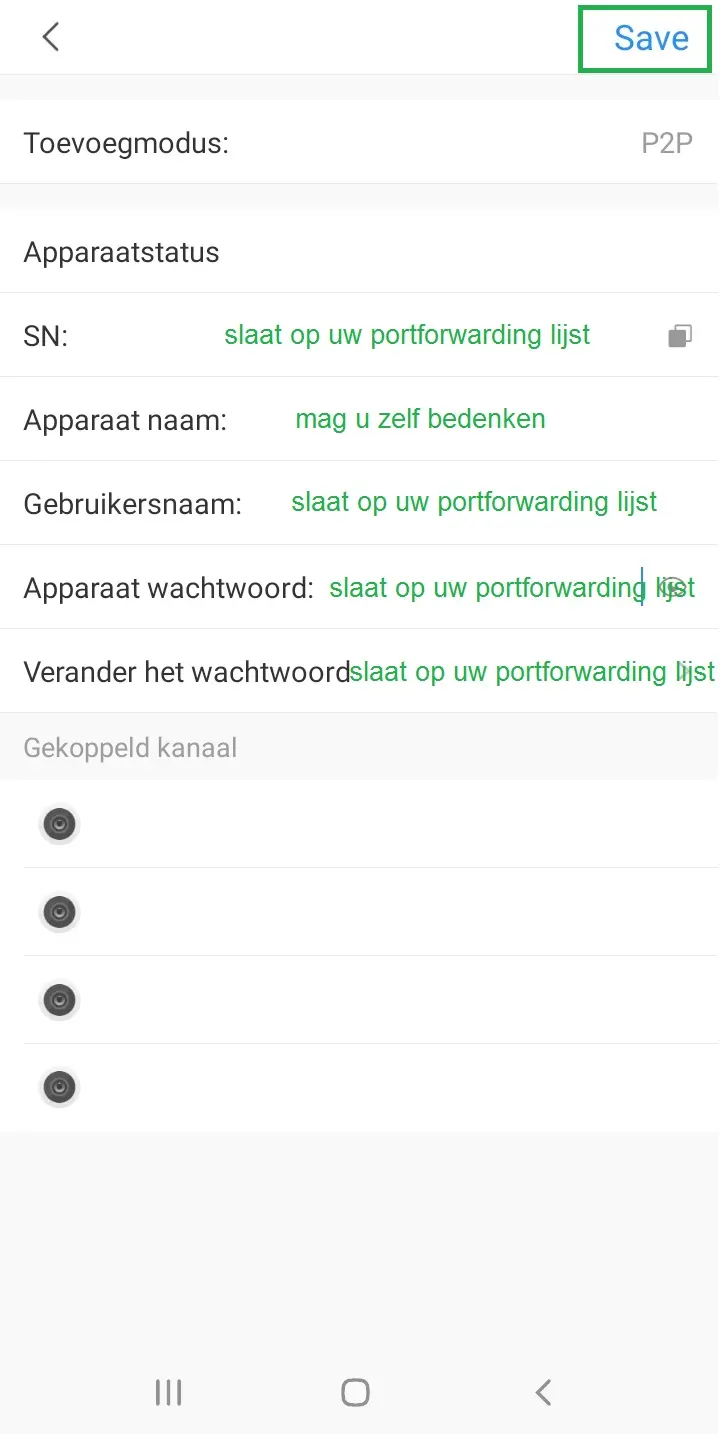
When manually adding, the following are important.
Please keep your portfolio list handy with you.
Method: this should be on P2P
SN: You have received this in your portfolio list
Device Name: you can come up with this yourself
User Name: You have received this in your portfolio list
Password: You have received this in your portfolio list
Click on Save + after filling in the correct information.
Screenshots